
How Code Analysis grew from interviews into software documentation
The systems-analysis task that led to Code Analysis: interviews, use cases, SQL, screenshots and user manuals.

A tool born from systems analysis
Code Analysis began during my work analysing a system that was being implemented. When I started interviewing the people who used it, I needed software to help turn what I was learning into use case diagrams.
The conversations described activities, questions and different perspectives on the same process. I wanted to organize that knowledge into something I could examine and discuss. The diagrams came first, followed by database analysis, screen documentation and user manuals.
From interviews to use cases
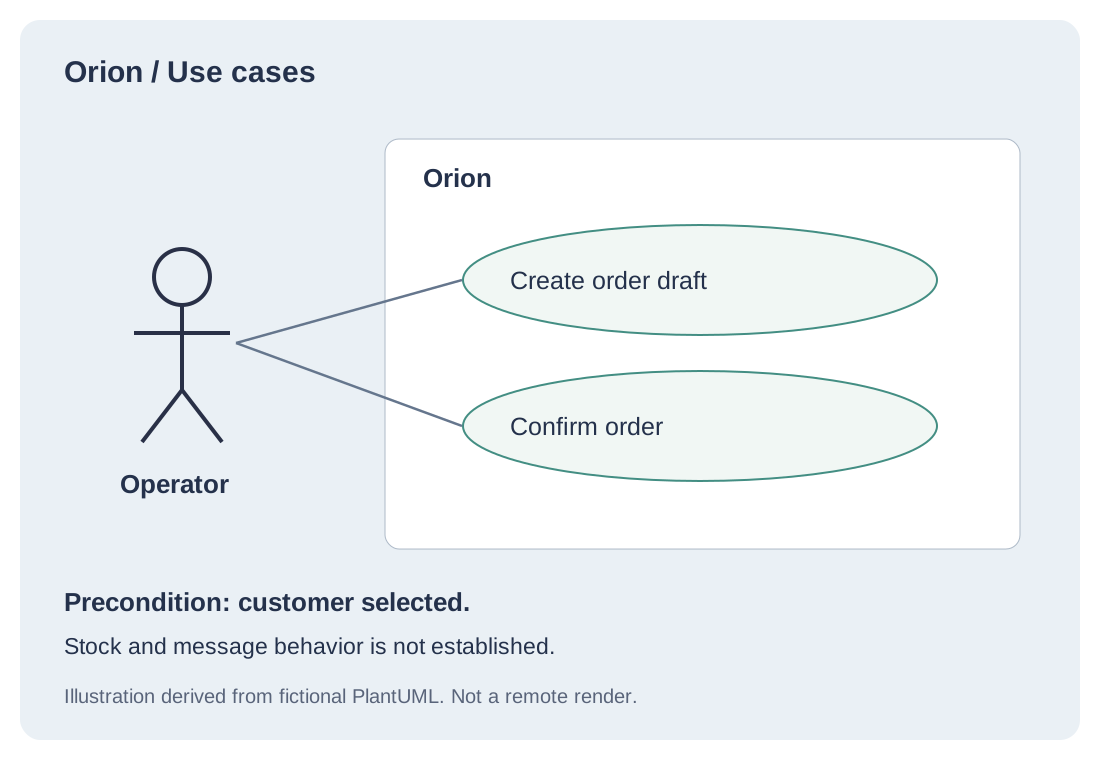
An interview contains more than a list of features. It explains who performs a task, what they want to achieve and where questions remain. The first purpose of the tool was to help turn those conversations into a structured representation.
A use case diagram gives that interpretation a form people can discuss. It does not settle the analysis. An actor may be missing, a relationship may need changing, or a rule may still need confirmation. The value is in making those questions visible.
SQL adds another perspective
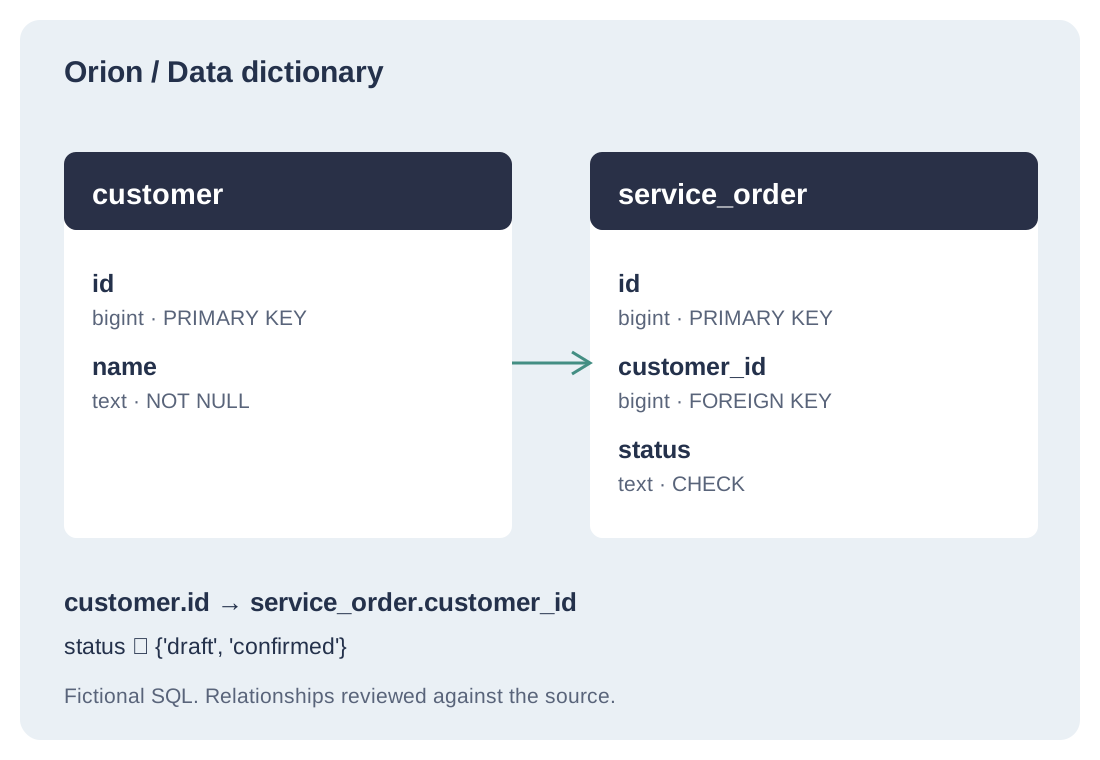
The product then grew into database analysis. Interviews describe work; SQL describes tables, fields and relationships. Looking at those sources together raises better questions about what the system records and how its parts connect.
Code Analysis supports data dictionaries and relational diagram source built from SQL. A foreign key tells us about structure. It does not tell us every business rule, and a column name is not enough to establish its meaning. Those interpretations still need review.
Screens and manuals connect analysis with use
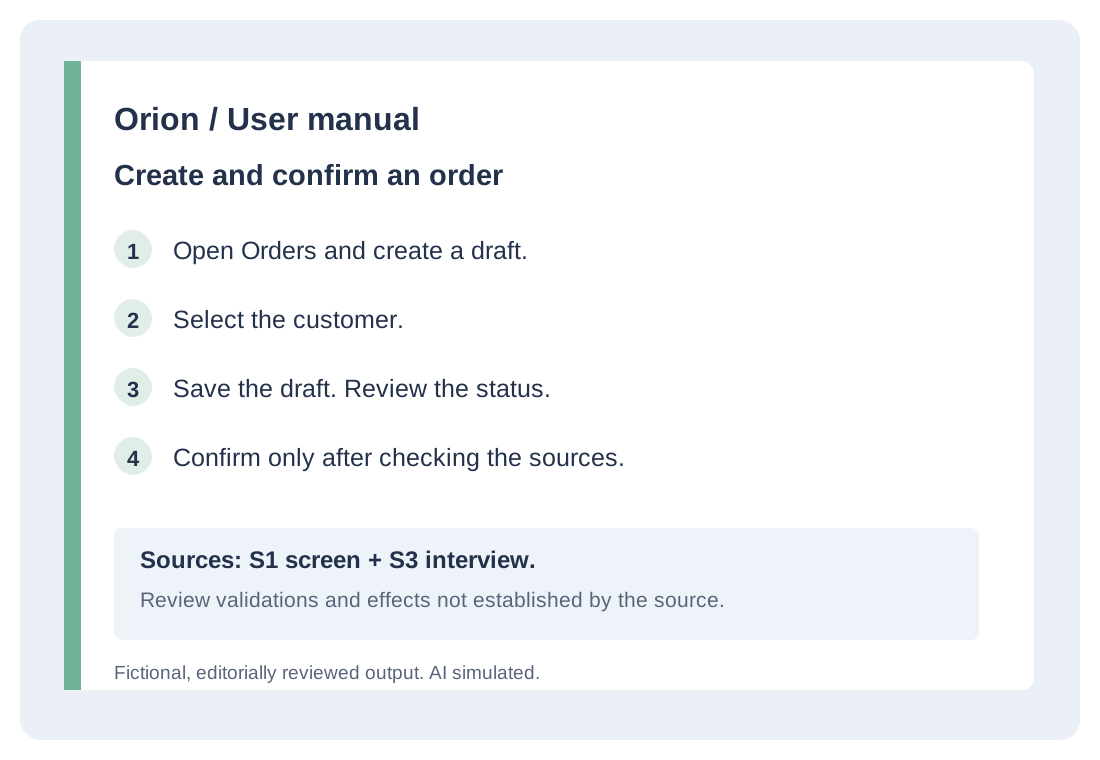
Screens show fields, actions and the organization of an interface. Interviews explain the purpose and context of a task. Combining those materials helps build documentation around what someone needs to do.
A manual needs to explain the task, not just describe buttons. Code Analysis helps bring screens, source material and editable documents together. Today, its three main journeys are screen to functional document, SQL to dictionary and ER diagram source, and interviews plus screens to a user manual.
AI, context and professional review
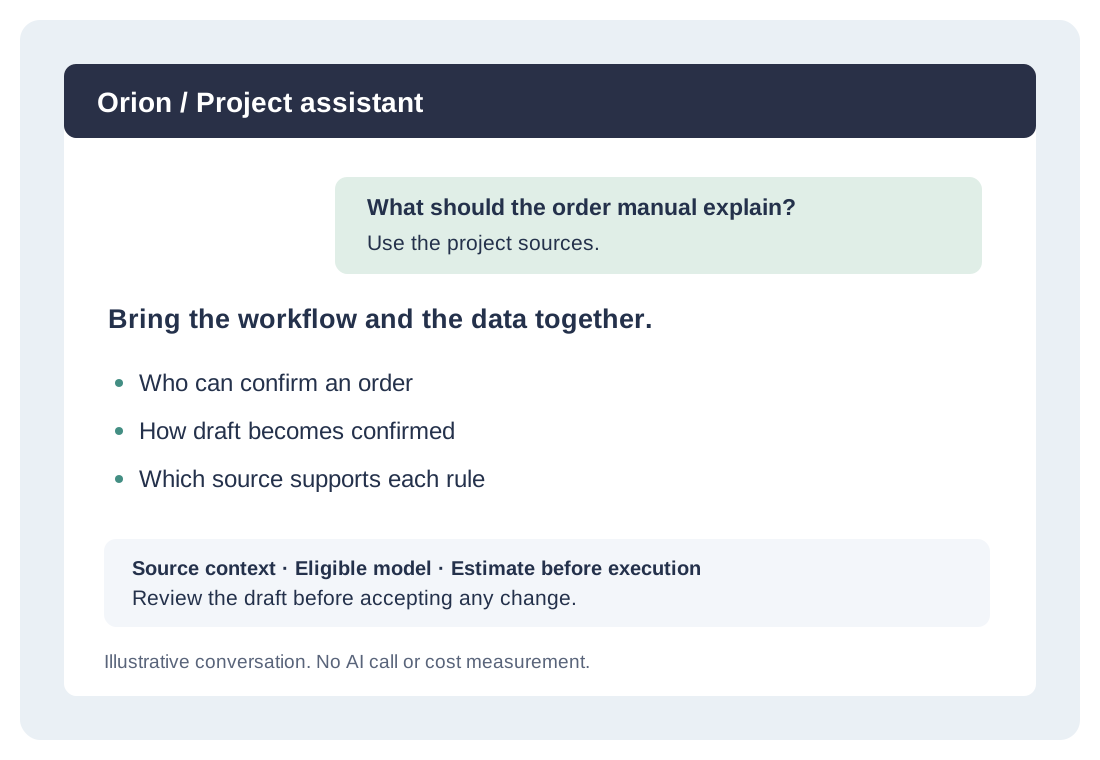
AI assists the drafting process. You can organize sources in a project, select an eligible model for the task, check the credit estimate and work on the resulting documents. Contextual chat can help answer questions and refine Markdown or PlantUML while review and version history support further changes.
The library includes 26 configurable diagram types and notations. Use cases, ER, sequence and activity diagrams answer different questions. The current policy keeps the public diagram renderer disabled; PlantUML source can be edited and exported. The illustrations in this article were composed locally from fictional sources.
A polished AI response is not a verified business rule. Checking sources, resolving missing information and reviewing the result remain part of the professional workflow.
Opening the product to other professionals
I built Code Analysis because I needed help representing what I was learning in interviews. Its development into SQL, screens and manuals followed other tasks in understanding and documenting software.
We are preparing its public launch for October 20, 2026. Access currently requires an invitation. You can explore the public examples and individual plans today; this article does not offer free credits or a free trial.
Visit the Code Analysis website to compare plans and check current prices, included credits and subscription terms.
Start with the task you need to document. Compare the fictional source with the reviewed result and consider whether that workflow fits your work.
Fictional examples; simulated AI. No inference ran for these demonstrations.